Projects now include three built-in fields — Actual Date, Budget, and Spent — giving your team real-time visibility into project finances. With improved spent calculation powered by user timesheets, you can track costs as they happen and keep every project on target.
Please share your feedback with us and keep flowing your ideas which would make the app awesome for you and help you with your business growth
We just shipped MCP support for Astravue. Here is what it actually does and why we think it changes how professional services teams work.
Most teams plan in one tool and execute in another. The gap between those two is where context gets lost, work gets duplicated, and decisions slow down. MCP closes that gap.
From inside Claude, Cursor, Windsurf, or VS Code, you can:
Say a project owner wants to spin up a new client deliverable. They type:
"Create five tasks for the homepage redesign, assign them to Sarah, due next Friday"
Tasks appear in Astravue right away. No tab switch, no copy-paste, no re-entry.
Or a developer finishing a feature types:
"Log 2 hours on the API task and mark it in review"
Done. They stay in flow. The work is tracked.
Projects and spaces, tasks and subtasks, time tracking, and team operations. If it exists in Astravue, your AI tool can reach it.
AI should be part of execution, not just planning. When your AI tool can actually act inside your project management workspace, the whole team moves faster. Owners get visibility without chasing updates. Team members spend less time on admin and more time on work that matters.
We use OAuth 2.0. No API keys, no extra credentials to manage. You sign in with your existing Astravue account and access is tied to your existing role and permissions. If you only have access to certain projects, the AI tool sees only those. You can revoke access any time.
Rate limits apply per account through the standard Astravue API limits. One heavy session does not affect the rest of your team.
https://api.astravue.com/mcp as an MCP server in your AI toolAvailable on all plans. No extra setup needed.
This is live now. Connect your AI tool and try it.
We’ve been listening to the changing trend in AI and SaaS.
Soon, usage based pricing would take over user based pricing. We wanted to be early adoper to this model. So, we have rolled our Lifetime Pack alongside per user pricing.
Details in astravue.com/pricing
We’ve overhauled the Kanban experience to make it feel more fluid:
Managing a global workforce shouldn't feel like a second job. Up until now, capturing team hours meant wrestling with a "Frankenstein" of spreadsheets, messy manual entries, and the constant fear that billable hours were slipping through the cracks of different time zones. It wasn't just tedious; it was an administrative burden on your team’s creativity.
Introducing Global Timesheets in Astravue. Now, your entire team’s hours are unified in a single, seamless view. No more timezone math—just clean, accurate data in one click.
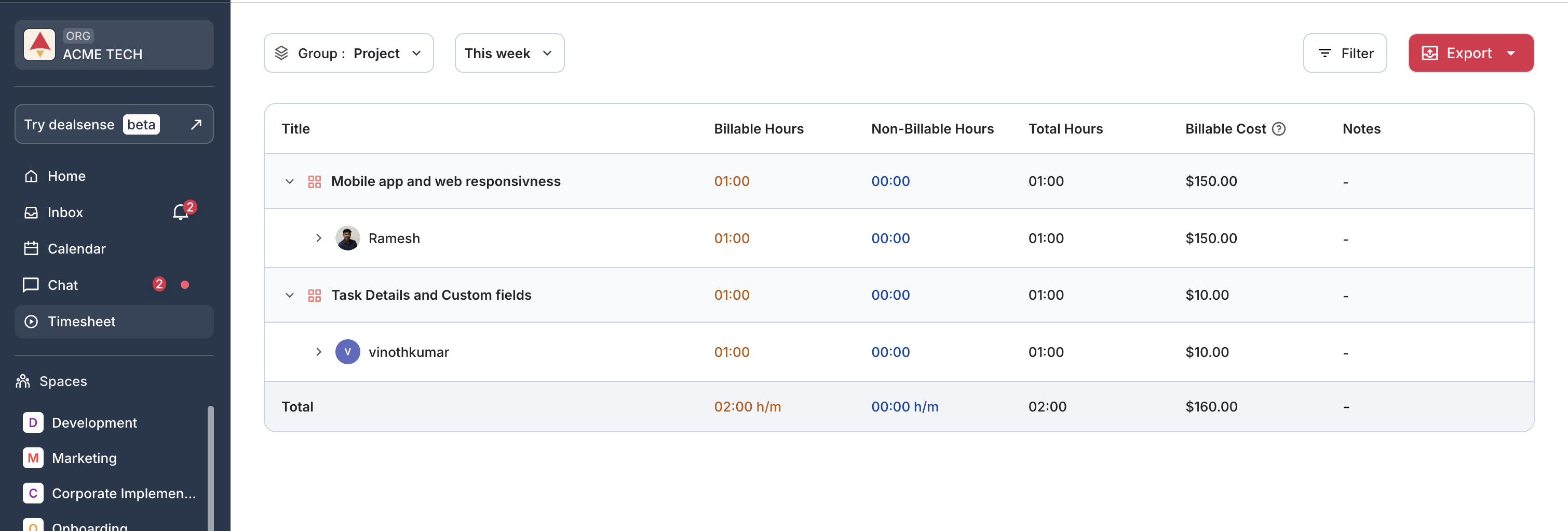
What’s Upcoming:
This week marks a major milestone for Astravue.
We are taking the first structured step toward Project Profitability Control — helping you ensure that your projects don’t silently erode margins.
Projects don’t lose money dramatically. They leak it gradually.
With the introduction of Resource Capacity Management, Astravue now moves closer to answering a critical business question:
Are we deploying the right people, at the right capacity, within the right budget?
Here’s what this unlocks:
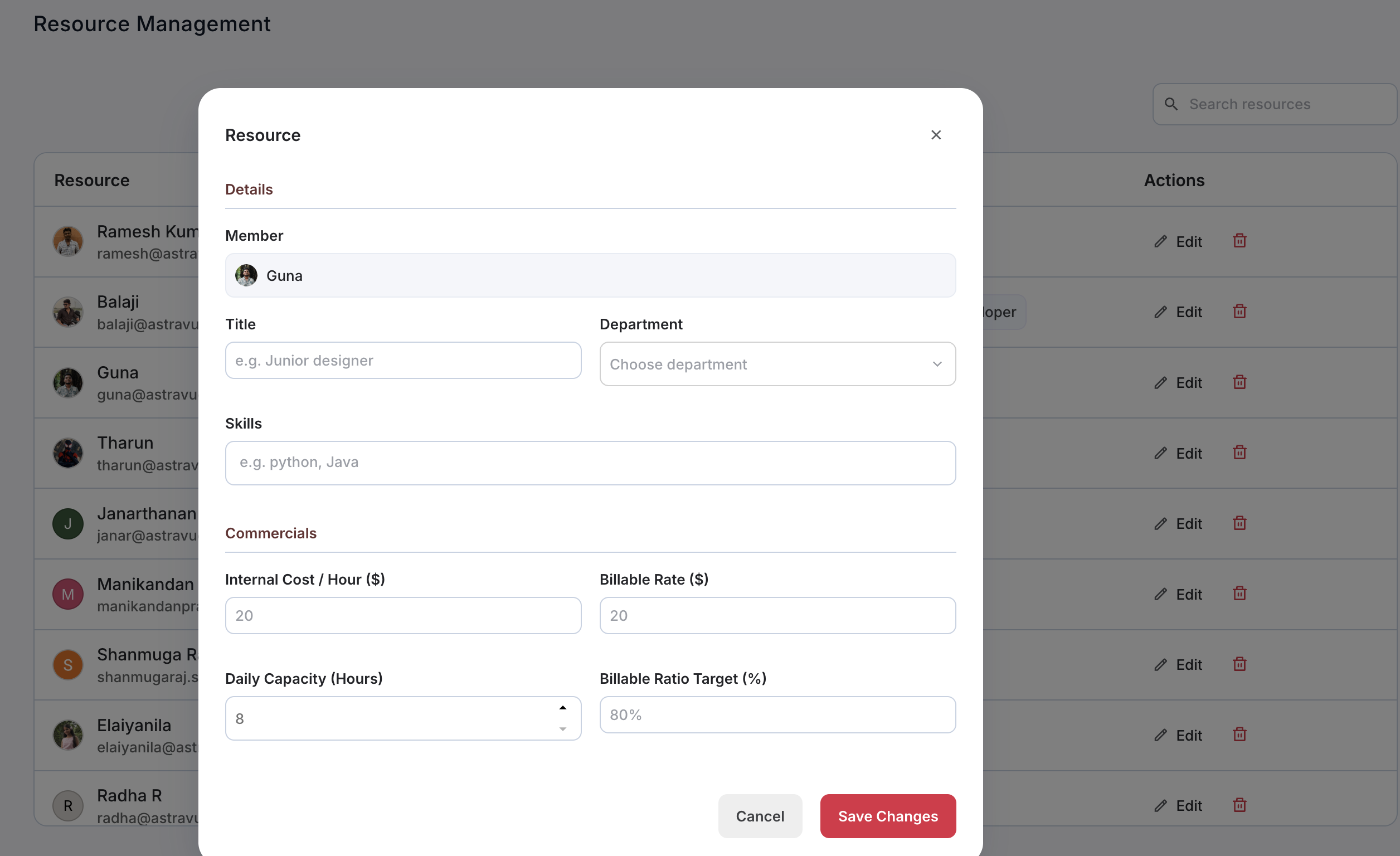
This will soon be tightly connected witt
The end goal is simple and powerful:
No project should leak money.
You grow your business confidently. You protect your margins. You deliver great customer experience — without compromising profitability.
This is Phase 1. More financial intelligence is coming.
We also made several improvements to make daily execution smoother and faster.
As we build Astravue, our focus remains simple: help service teams save time and protect billable minutes.
Tasks in Astravue now carry their full context. Conversations, updates, and decisions stay threaded with the work itself—so teams don’t waste time searching across tools or re-explaining details.
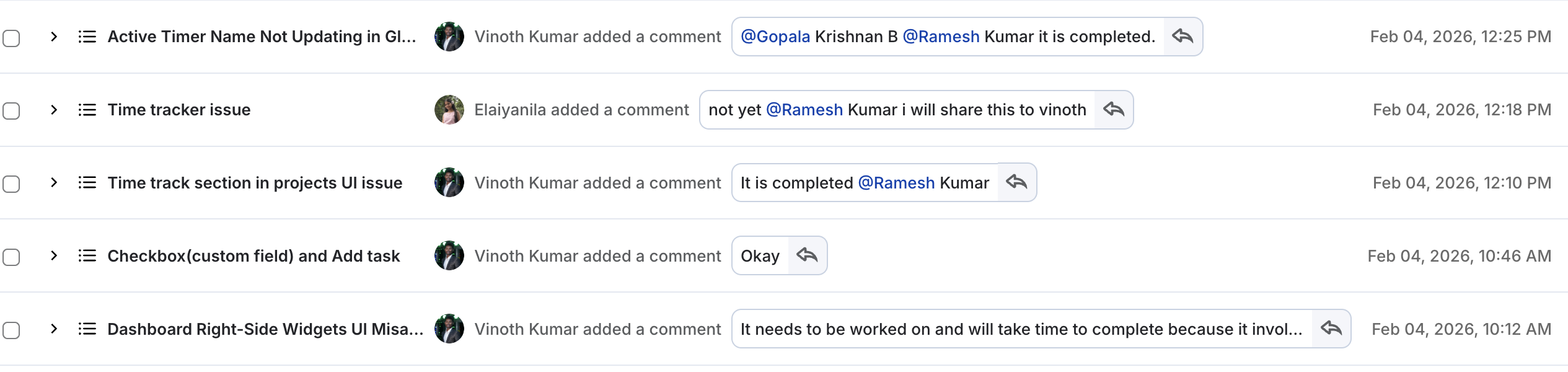
Why this matters: When context is always relevant and visible, teams make informed decisions faster. Less back-and-forth. Fewer mistakes. More time spent delivering value.
For agencies and professional service teams, every minute counts in billing. This update is designed to respect that reality.
Astravue is now available on the Gmail Marketplace.
Project members and stakeholders can now:
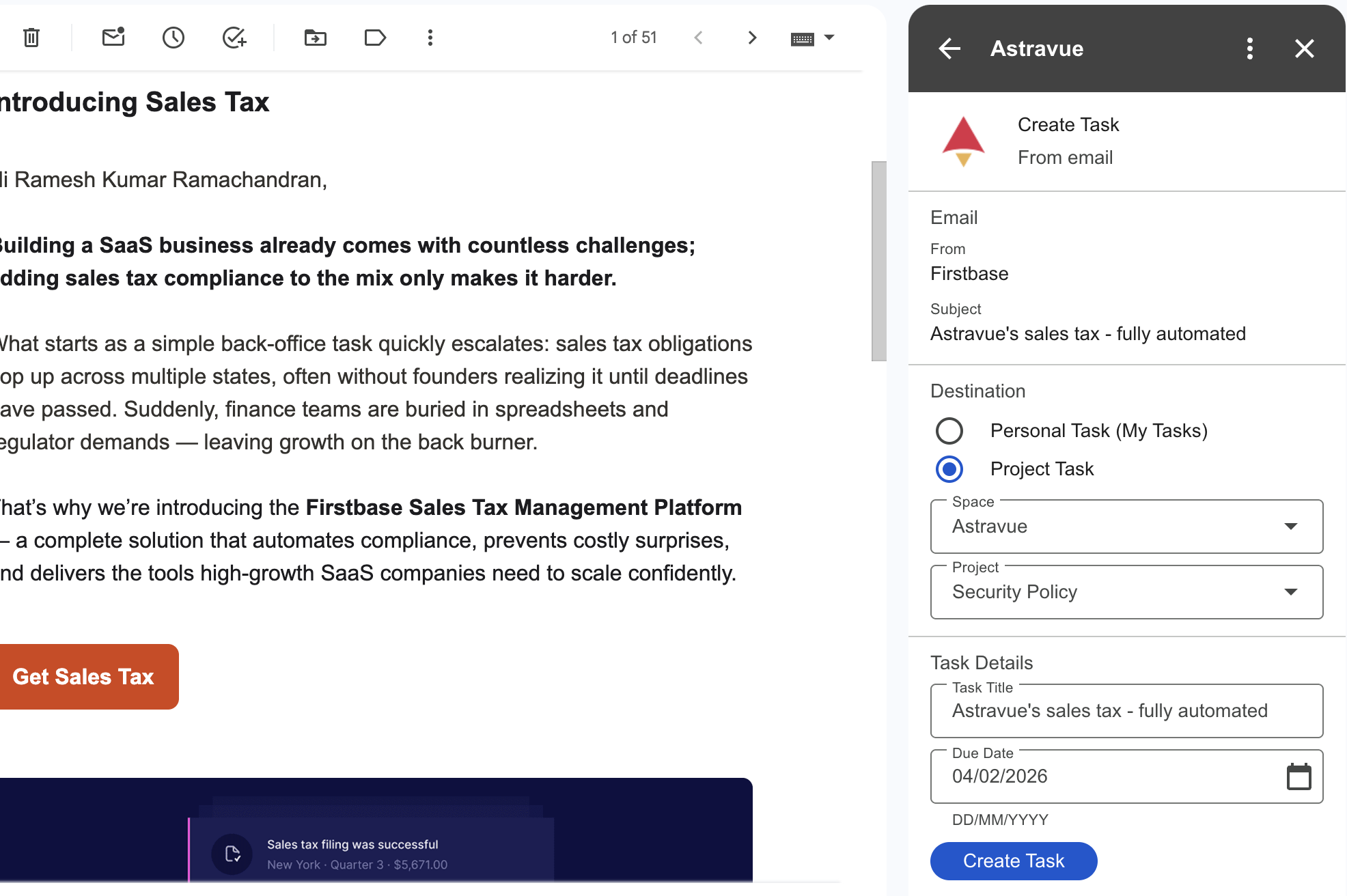
Why this matters: Email is still where a lot of work begins. By turning emails into tasks seamlessly, teams eliminate delays, reduce context loss, and move faster from request to execution.
These updates are about one thing: keeping context connected so teams can move faster, decide better, and stay profitable.
As always, we’re building Astravue for teams who value clarity, accountability, and time.
We’re excited to roll out a suite of new features designed to make your project management and team communication smoother than ever. From enhanced guest permissions to smarter chat tools, here’s what’s new!
We’ve expanded what guest users can do to help your projects move faster.
Communication is the heart of every project. We’ve added two highly-requested features to our chat module:
Everyone works differently. You can now Favorite your most-used views for instant access. Whether it's a specific board, list, or timeline, your favorite workflow is now just one click away.
We know how quickly "scope creep" can derail a project. We are currently working on an Approval Workflow.
Soon, any task added by a guest or team member can be sent for approval before it officially joins the project scope. This ensures every new item aligns with your project goals and budget.
Regards,
Ramesh
1:1 Direct Messaging (DM) — Now Live
You can now have private, one-to-one conversations inside Astravue. No more switching tools or losing context—discuss tasks, clarify updates, and make decisions faster, right where the work happens. This is a major step toward real-time, action-driven collaboration.
Our AI summaries just got smarter. In addition to tracking pending and delayed work, the summary now also highlights on-time completions, giving you a more balanced and accurate view of project health and delivery performance.
We’ve squashed several bugs and made behind-the-scenes improvements to ensure a smoother, more reliable experience.
We’ve introduced Project Summary, an AI-powered feature that gives you a clear, no-noise snapshot of your project health.
Instead of scanning dashboards, Astravue now highlights what actually matters:
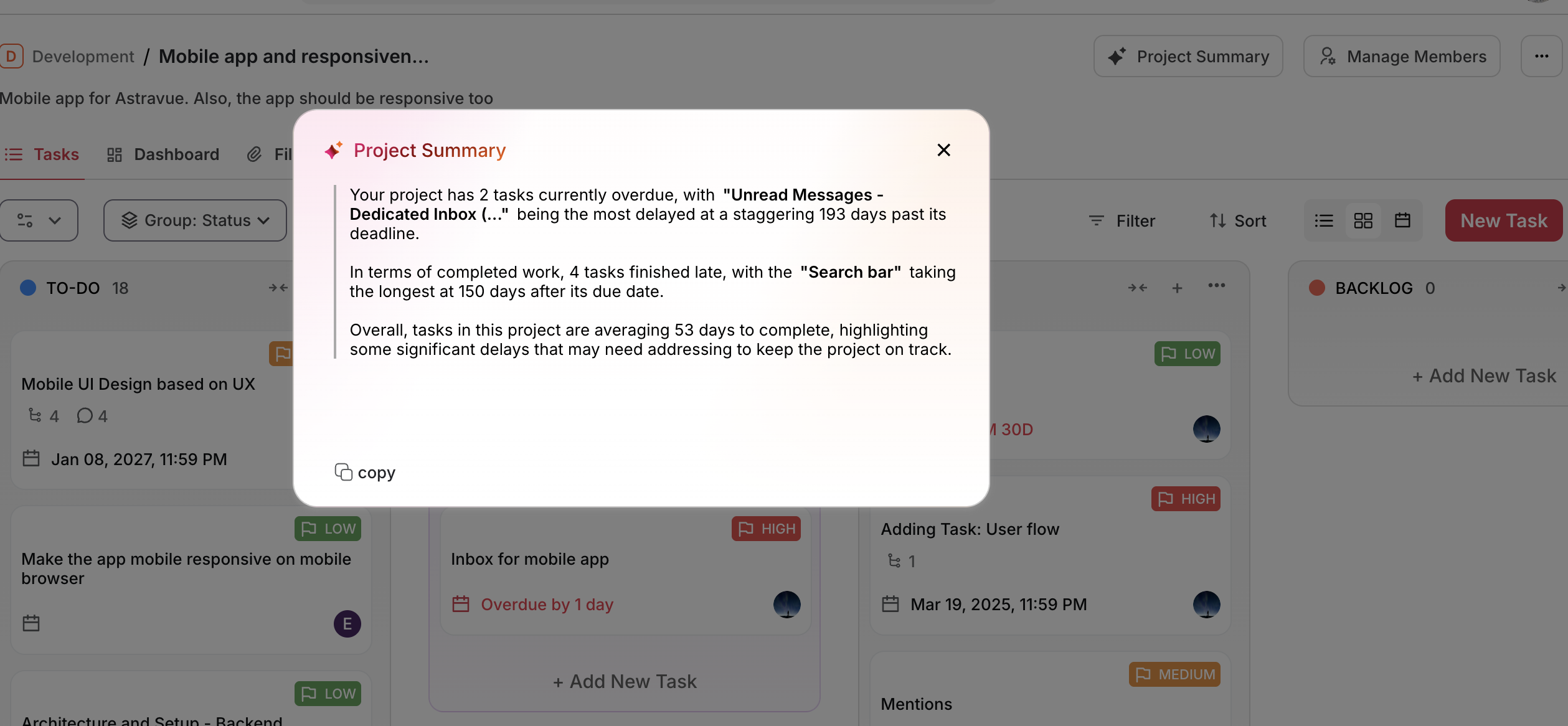
No health scores. No clutter. Just clarity.
A few important things to note
Regards,
Ramesh